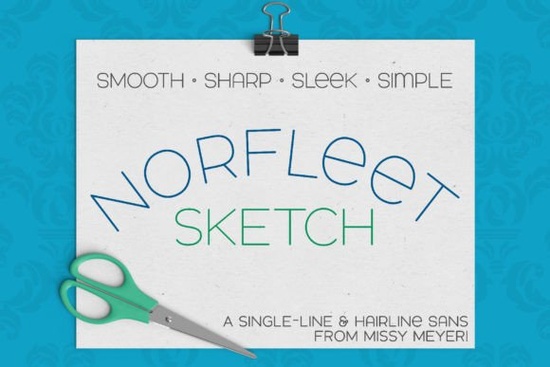
If you are looking for a clean, versatile typeface that works directly with drawing tools rather than traditional printing engines, Norfleet Sketch (single Line) Font is a solid choice. Built from the ground up as a true single-line style, it features smooth curves, minimal anchor points, and a modern wide stance. You can drop it into vector software or crafting programs to create custom lettering, foiled quotes, engraved signs, or scored packaging without wrestling with complex tracing tools. Unlike ordinary fonts that output thick outlines for cutting, this typeface mimics how a pen or stylus actually draws letters.
What makes this different from standard fonts?
Most typefaces you install on your computer are designed to fill space. When you send them to a printer or a vinyl cutter, the software traces the outside edges and creates a hollow shape. Single-line and hairline fonts work differently. They consist of strokes that represent the actual path a tool follows. This means they cannot be used for regular word processing or standard commercial printing. Instead, they serve as digital templates for physical media that draw lines, such as sketch pens, foil quills, engraving bits, Infusible Ink markers, or Glowforge scoring wheels. The package includes a clear guide so you can match the right file type to your equipment.
Which version do you actually need?
The download contains two distinct formats, and picking the wrong one often leads to frustrating export issues. Norfleet Sketch One is a genuine single-stroke font. Each character is drawn continuously from start to finish, making it ideal for CNC machines, laser engravers, and advanced vector editors like Affinity Designer or Inkscape. If you are comfortable adjusting connection points between open paths, this version gives you total control over stroke direction and spacing. For most crafter workflows, however, Norfleet Sketch Two is the more practical option. It uses a hairline approach where overlapping strokes sit so close together they appear as a solid outline. This means you can open it in Silhouette Studio, Cricut Design Space, or Adobe Illustrator and plot immediately without editing node connections.
If you prefer exploring other streamlined type options, browsing our curated collection helps you compare weight variations and structural details before committing to a project. Many users also find that pairing a dedicated sketch style with a bold display face keeps designs balanced. You might want to check out alternatives like Bourgueil for a refined geometric feel, or look into minimalist collections when you need uncluttered spacing for labels and packaging.
How to apply these styles in your workflow?
Getting clean results depends entirely on matching the font version to your software environment. When working in plotting or cutting programs, always import the hairline version to prevent broken characters during kerning adjustments. If you are exporting to SVG for laser or inkjet workflows, verify that your document resolution matches your material thickness. Thinner cardstock benefits from tighter spacing, while wood or acrylic panels usually require slightly wider tracking to maintain legibility. Remember that Brother Canvas Workspace has known compatibility limits with continuous path fonts, so test a sample strip on scrap material before running a full batch.
Small business owners selling custom home decor often combine these drawing-style files with metallic foils or permanent markers to create premium hand-lettered pieces. The clean geometry pairs well with rustic textures, modern line art, or simple photographic backdrops. You can easily mix it with complementary typefaces to balance visual hierarchy. Exploring adjacent categories like outdoor-inspired lettering or bold block styles provides good contrast when you layer multiple fonts on a single design board.
Where to find reliable support and updates?
Since font rendering behaves differently across operating systems and application versions, checking official documentation saves considerable troubleshooting time. Developers typically release minor spacing adjustments or improved export presets to fix common plotting errors. You can review current usage notes and installation steps at Norfleet Sketch. Reviewing community feedback also reveals which software builds handle open-path characters most reliably.
Practical next steps for your first project
Before opening any design canvas, run through these quick checks to ensure clean outputs:
- Match software to version: Use the hairline file for cutting apps, and the single-stroke file for CNC or laser routing.
- Check kerning spacing: Increase or decrease tracking until gaps between letters remain even across long words.
- Convert to paths early: Outline or convert text before applying effects like rotation or distortion to prevent stroke misalignment.
- Test on scrap material: Run a short phrase at low speed or reduced power to verify pen pressure, blade depth, or focus settings.
Keep your design files organized by project type, and save backup copies of your finalized vectors. Once you establish a consistent workflow, producing professional-grade hand-drawn lettering becomes a routine part of your creative process rather than an experiment.
Try It Free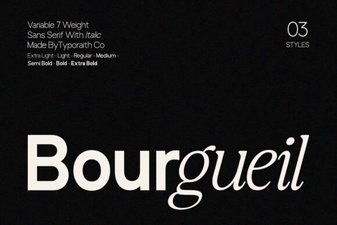 The Bourgueil Font: Design & Project Inspiration
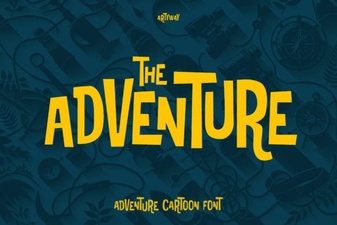 Adventure Font Design Ideas for Creative Projects
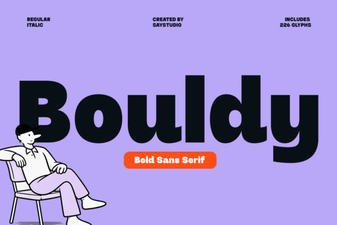 Design with Bouldy Font: Creative Ideas & Uses
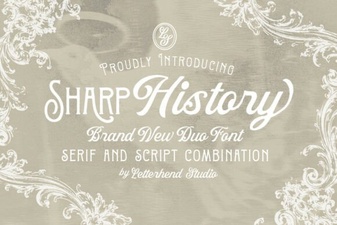 Sharp History Font: Design Concepts & Usage Guide
 Download the Alexander Font for Your Creative Projects
 Chunky Text Fonts for Bold Design Statements