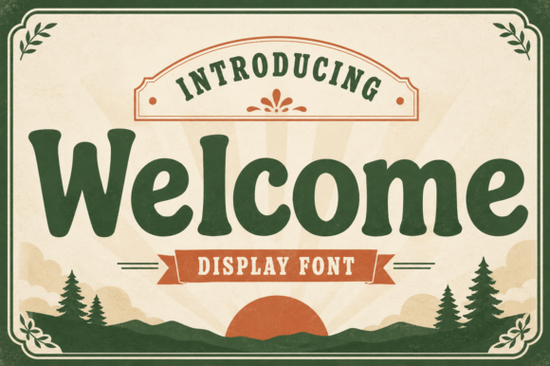
If you need a typeface that adds character without sacrificing readability, Welcome Font delivers exactly that. Designed as a dynamic slab serif, it blends bold structural strokes with soft rounded curves and subtle retro quirks. Rather than feeling rigid, it carries a warm vintage charm that draws attention while remaining highly legible. Whether you run an online store, design custom merch, or experiment with lettering, this family provides nostalgic appeal across multiple formats.
What makes this slab serif stand out?
The balance lies in its weight distribution. Thick stems provide strong visibility, ideal for headlines or packaging labels. Softened corners and playful details keep it from feeling heavy or outdated. Generous x-heights and open counters allow the letters to breathe, making it suitable for both classic branding and contemporary lifestyle projects. If you want to contrast it with something more organic, consider alternatives like Laguna Tropic Font, which pairs nicely when you need a relaxed counterweight.
How should you pair it with other display faces?
Typography works best when shapes complement rather than compete. Because this face leans into structured geometry with gentle curves, it responds well to fonts that share similar proportions but offer different textures. A chunky, distressed type can ground compositions while letting the slab serif carry the primary message. Try pairing it with Chunky Texture Font for posters or social banners where you want visual depth without clutter. Alternatively, if your project calls for a cozy, home-style vibe, a casual script like Jennies House Font bridges traditional lettering and everyday warmth. For vintage-inspired packaging, combining it with Classic Distress Font reinforces authenticity while maintaining clear hierarchy.
Spacing matters more than weight when mixing families. Keep tracking wide enough for heavier glyphs, and reserve tighter adjustments for secondary text. You can preview combinations against neutral backgrounds before locking final layouts. Finding compatible additions is straightforward via a dedicated Welcome Font search, where alternate weights and matching styles appear side by side.
What are the practical applications for makers and small shops?
This typeface adapts smoothly to several production workflows. Print-on-demand sellers frequently use it for apparel graphics, tote bags, and mugs because bold outlines render cleanly on fabrics and ceramics. Café owners appreciate how quickly it communicates warmth on chalkboard signs or menu boards. Children’s brands benefit from the friendly curvature, which feels inviting rather than strict. Personal hobbyists also find it reliable for scrapbooking, party invitations, or DIY sticker sheets.
- Check vector export settings before sending files to large-format printers
- Use higher resolution files if you plan to hand-cut physical templates
- Test color contrast on textured materials before committing to bulk orders
- Keep backup copies of the file package in case of future software updates
Pay attention to how the glyph set handles punctuation and numerals. Numbers align neatly for pricing labels and measurement charts, while punctuation marks carry matching stylistic touches that keep full sentences visually consistent. You rarely need to manually adjust alignment tools once you lock in the base size, which saves time during batch production runs.
How do you install and license it safely?
Acquiring correct usage rights follows standard platform guidelines. Downloadable packages include clear documentation covering personal, commercial, and end-product permissions. Extract the archive, locate the OpenType or TrueType file, and install it directly through your operating system. Windows users can right-click the file and select Install, while macOS users simply click Add Font in the dialog box. Restart your design application to activate the family in standard dropdown menus. Verify whether your license permits embedding if you plan to distribute finished items, and keep records of purchase receipts to prevent confusion during audits.
Quick implementation checklist:
- Download the latest package update
- Verify system compatibility and operating system version
- Create a dedicated project folder
- Set baseline font size and line spacing
- Run a test print on target material
- Archive original files and license documents
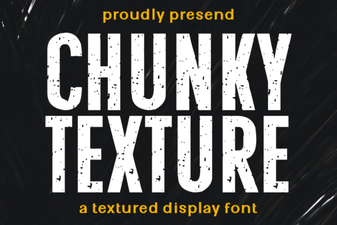 Chunky Text Fonts for Bold Design Statements
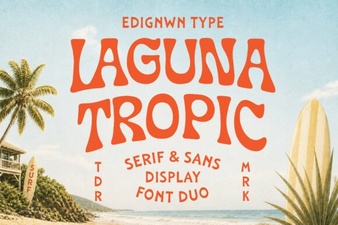 Laguna Tropic: Font Inspiration & Usage Guide
 Clean Fonts for Academic Design Projects
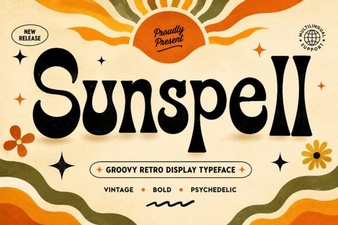 Sunspell Font: Creative Design Ideas & Free Download
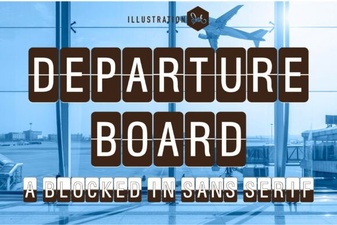 Designing with Departure Board Typography
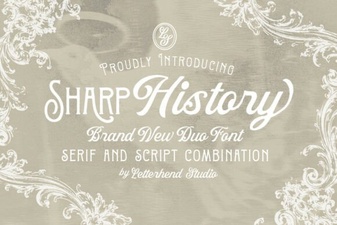 Sharp History Font: Design Concepts & Usage Guide